Agitech Steel Wire Keycap Puller Remover Tool with LED Light (Blue) Review (2026)
Updated September 20, 2026 · Research-based review
Our verdict
A steel wire keycap puller with a built-in LED light so you can see keycap edges in a dim room or under a desk. It works on most Cherry MX style boards, but the light is a nice extra rather than a reason to pick it over cheaper wire pullers.
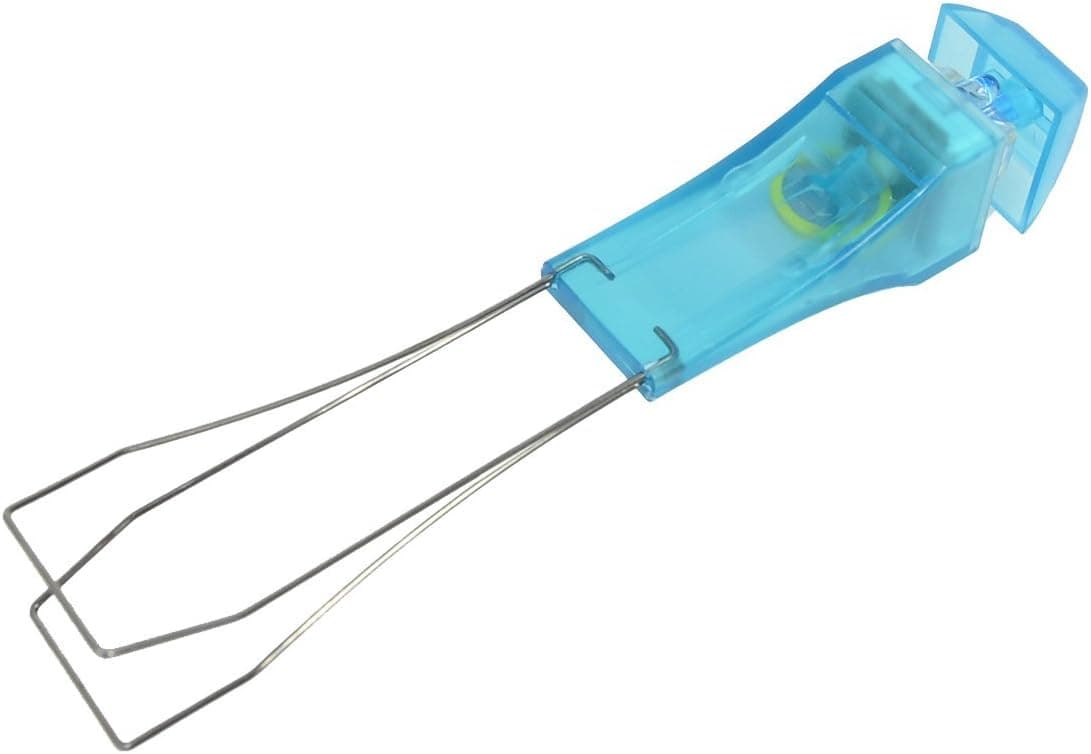
Agitech's blue steel wire keycap puller remover tool includes an LED light for dim workspaces.
Price range: See on Amazon
What we liked
- + Built-in LED light helps when working in dark rooms
- + Steel wire grips keycaps securely
- + Blue handle is easy to spot on a busy desk
Trade-offs
- - LED feature adds battery upkeep to a simple tool
- - Still does not work as a switch puller
What this tool is for
This is a wire-style keycap puller built around a simple idea: two thin steel loops slide under a keycap's edges so it lifts off the switch stem without twisting or scratching the cap. The Amazon listing for this model puts the wire length at 55mm and the wire width at 20mm, with a total tool length of about 115mm, and notes it can hold up to two keys at once to speed up removal on a full board. The blue handle houses a small LED light, aimed at people who work on keyboards at a desk with poor overhead lighting or who want to see switch and keycap edges clearly while pulling caps one row at a time.
Compatibility and what it will not do
The listing describes it as suited to Cherry MX, Alps and Topre style mechanical switches, which covers the large majority of hobbyist and off-the-shelf mechanical keyboards on the market. It is not meant for scissor-switch keyboards, the shallow, laptop-style switches used in many slim keyboards and built-in notebook keys, since the wire loops need a taller keycap stem to hook onto. It also only removes keycaps; it does not pull switches out of a hot-swap socket, so anyone planning to also swap switches will need a separate switch puller alongside this tool.
How the wire design protects keycaps
Wire pullers like this one are generally gentler on keycap legends and side walls than plastic ring-style pullers, because the two loops catch only the underside lip of the cap and apply lifting force there rather than squeezing the visible sides. That matters most on keycaps with printed or shine-through legends near the top edge, where a ring puller's jaws can leave faint marks over repeated use. The tradeoff is a slightly steeper learning curve: new users sometimes catch only one corner of the cap on their first few pulls, which can tilt the keycap instead of lifting it cleanly, so a bit of practice on a spare key helps before working across a full keyboard.
The LED light in practice
The LED is a small addition rather than a core feature, and it draws on a built-in battery rather than requiring a separate light source. For most desk setups with normal room lighting it will not be essential, but it becomes genuinely useful when working on a keyboard tucked under a monitor arm, in a dim home office, or when double-checking that both wire loops are properly seated under a keycap before pulling. It does mean there is a small light and battery mechanism inside an otherwise simple hand tool, which is one more part that could eventually wear out compared to a plain wire puller with no electronics.
Where it fits among keycap pullers
As a basic wire puller with an LED add-on, this tool suits anyone who wants a straightforward, low-cost way to pull keycaps for cleaning, keycap swaps, or lubing work, and who likes the idea of a light for low-visibility conditions. Buyers who mainly want to remove both keycaps and switches in one motion, or who want a puller bundled with brushes and other cleaning accessories, are better served by a multi-tool kit instead. For a single-purpose keycap puller aimed at Cherry MX style boards, the LED light is the main thing that sets it apart from otherwise similar steel wire pullers on the market.
Frequently asked questions
Does this keycap puller work on laptop or scissor-switch keyboards?
No, the listing states it is designed for Cherry MX, Alps and Topre style mechanical switches and is not meant for scissor-switch keyboards.
Can this tool also remove switches for hot-swap boards?
No, it is a keycap puller only; a separate switch puller is needed to pull switches from a hot-swap socket.
How many keycaps can it hold at once?
The listing states it can hold up to two keys at a time to speed up removal across a full keyboard.
What powers the LED light on the handle?
It uses a built-in battery inside the handle rather than a separate power source or replaceable cell noted on the listing.
Prices change often, so check the current price and availability on Amazon.
Check price on AmazonMechKeeb Lab may earn a commission from the link above.