Hardtochooseone Split Ergonomic Mechanical Keyboard QMK 36-Key MX Switch Review (2026)
Updated September 20, 2026 · Research-based review
Our verdict
A fully assembled 36-key split ergonomic board running QMK and VIA firmware, sold with extra keycaps and switches from a small independent maker. It suits typists ready to learn layer-based typing on a minimalist layout, but the small maker means thinner support and some reported build inconsistency.
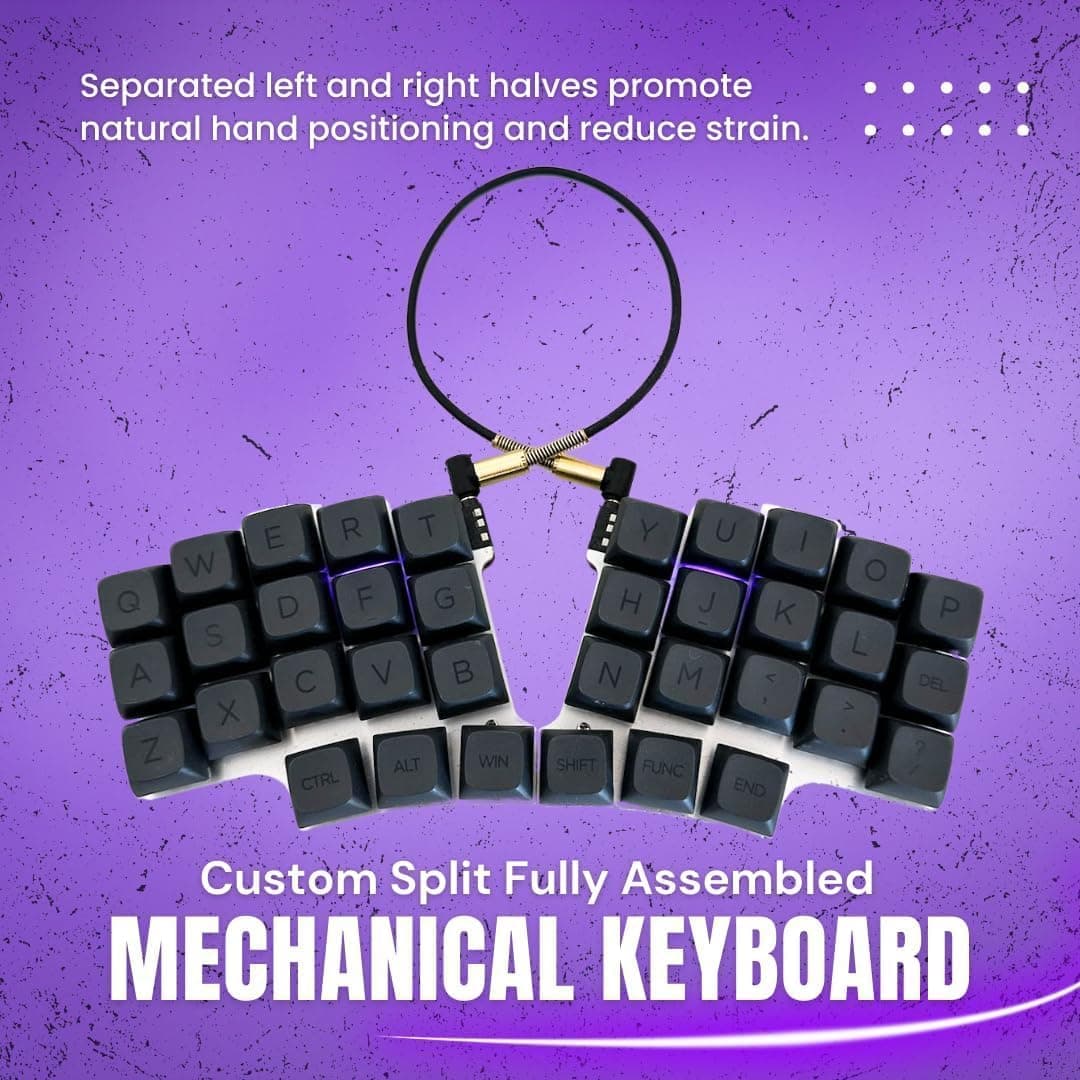
Hardtochooseone's split ergonomic board has 36 keys, QMK firmware and MX switch support, a minimalist split for layer-savvy typists.
Price range: See on Amazon
What we liked
- + Split halves let each hand rest at a natural width to reduce wrist bend
- + QMK firmware allows full remapping so every symbol can live on a thumb layer
- + MX switch compatibility opens up a huge range of switch options
Trade-offs
- - Only 36 keys, so beginners face a steep learning curve with layers
- - Odd brand name and small maker make support and documentation thin
Fit for the job
This board is built for typists who want the wrist and shoulder benefits of a split keyboard and are willing to learn a layered typing system to make up for having only 36 keys instead of the 60 or more found on a standard compact board. It arrives fully assembled rather than as a kit, which lowers the barrier to entry compared to most split ergonomic boards that require soldering or at least hand assembly. Beginners moving from a traditional keyboard should expect a real adjustment period, since numbers, symbols, and even some letters typically live on secondary layers accessed through held keys rather than being printed directly on the keycaps.
Features and specs
According to the listing, the board runs QMK firmware, which is open source and pairs with the VIA or VIAL configuration tools for remapping keys and layers without writing firmware code directly. It supports MX-style switches for hot-swapping, according to third-party listings for this model, and connects over USB-C. The package includes extra keycaps and switches beyond what ships installed, useful for anyone who wants to try a different switch feel or replace a key without ordering separately. Listings for this model do not consistently confirm RGB backlighting, so buyers who want per-key lighting should verify that detail on the specific listing before ordering.
Build and materials
The board ships fully assembled with switches and keycaps already installed, which is a meaningful convenience compared to DIY split keyboard kits that require buyers to source and solder their own parts. Some buyer feedback describes quality inconsistencies on this line, including a sandwich-style plate reported as fragile and screws that came loose after light use, concerns worth weighing against the price given this comes from a small independent maker rather than an established keyboard brand with a longer quality track record. Buyers who value guaranteed build consistency and established after-sale support may prefer a more established split keyboard brand, even at a higher price.
Value for the price
At its price point, a fully assembled split ergonomic board with QMK and VIA support and bundled extra parts is a comparatively affordable way to try split typing without committing to a DIY kit or a premium ergonomic brand. The tradeoff is that a small, lesser-known maker means less documentation, slower customer support response, and the build quality variance some buyers have reported, risks that are less common with larger brands but that also typically come at a noticeably higher price. For someone testing whether split ergonomic typing works for them before investing more, the lower entry cost here is a reasonable way to find out.
How it compares
In mechkeeblab's split ergonomic keyboard guide this board ranks at the bottom of the field, well behind premium options like the Keychron Q11 and Kinesis Advantage360, both of which come from established brands with more consistent build quality, stronger customer support, and in the Kinesis case, a contoured design aimed specifically at ergonomics beyond just splitting the halves. It also trails the NocFree wireless split board and the Corne-style 40 percent kit in the same guide. Buyers mainly interested in testing whether a minimalist layered layout suits them, at the lowest possible cost, are the best fit for this particular board relative to its higher-ranked rivals.
Frequently asked questions
Does this keyboard come pre-assembled?
Yes, the listing describes it as fully assembled and ready to use out of the box, unlike many split ergonomic kits that require self-assembly.
What firmware does it use?
It runs QMK firmware and is configured through VIA or VIAL, allowing full remapping of keys and layers without flashing custom firmware code.
Is 36 keys enough for everyday typing?
It can work well once you learn the layer system, since numbers and symbols move to secondary layers, but it requires a real adjustment period compared to a traditional keyboard layout.
Are the switches replaceable?
Third-party listings describe MX-style hot-swap support, and the package includes extra switches, though always confirm hot-swap compatibility on your specific listing before ordering replacements.
Prices change often, so check the current price and availability on Amazon.
Check price on AmazonMechKeeb Lab may earn a commission from the link above.