MOSHOU Macro Pad 12-Key Programmable Macro Keypad with 2 Knobs Hot Swappable RGB Mini Shortcut Keypad (White) Review (2026)
Updated September 21, 2026 · Research-based review
Our verdict
This wired MOSHOU macro pad packs 12 hot-swappable keys and 2 knobs into a small white RGB unit built for shortcut-heavy workflows in editing, design, or gaming. It is a wired-only device with a single macro layer, so buyers wanting wireless or multi-layer profiles should check other MOSHOU variants first.
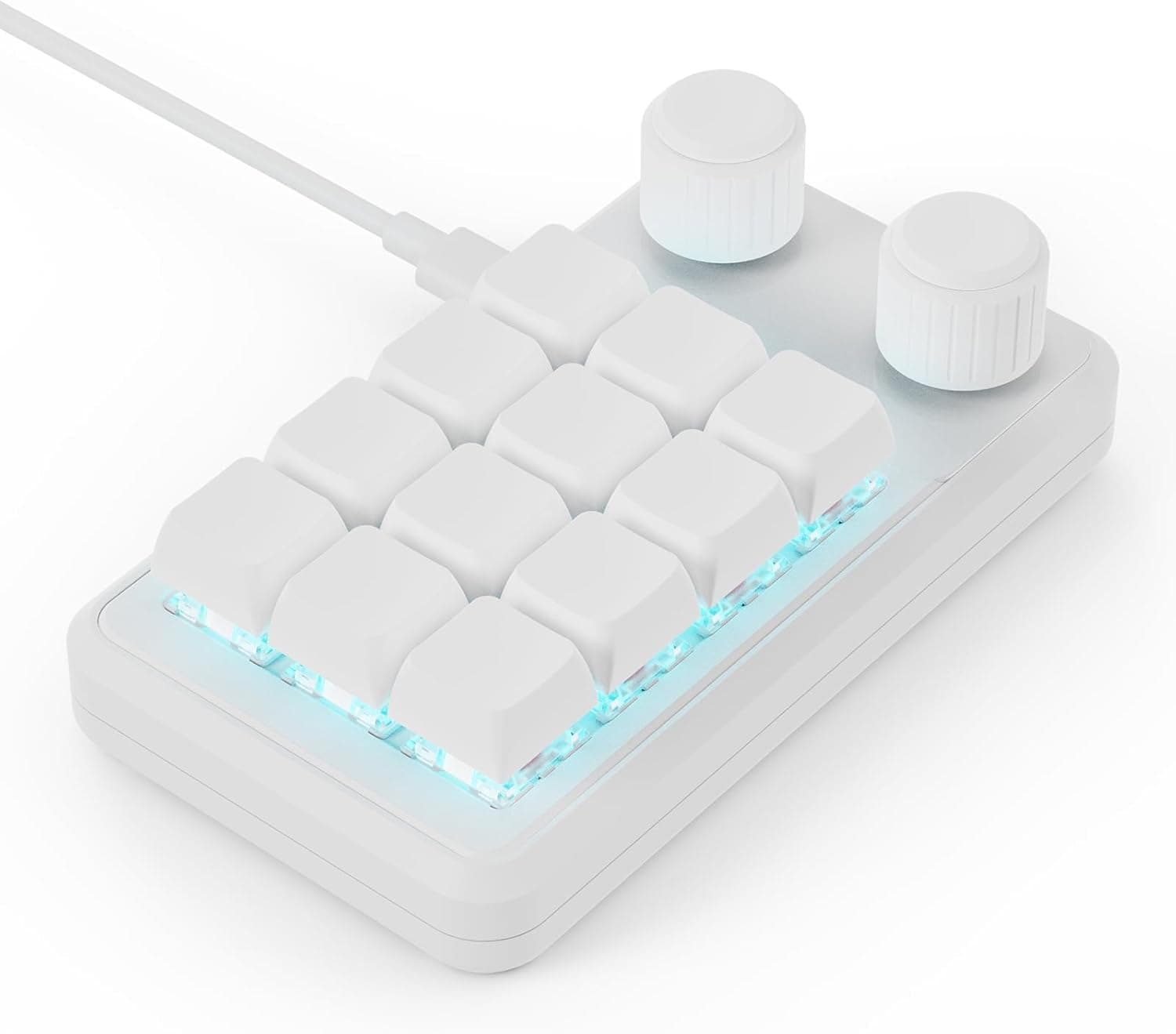
MOSHOU's white 12-key programmable macro keypad has 2 knobs, hot-swap sockets and RGB for shortcut heavy workflows.
Price range: See on Amazon
What we liked
- + Hot-swap sockets let you pick switches that match your main keyboard
- + 2 knobs split tasks such as volume and timeline scrubbing
- + White body with RGB looks tidy beside light colored setups
Trade-offs
- - Configuration software may be less refined than big brand tools
- - Wired pad adds another cable to the desk
Layout and connection
This macro pad packs 12 programmable keys and 2 rotary knobs into a compact footprint, connecting to a computer over a USB-C wired cable rather than Bluetooth or a 2.4GHz receiver. The listing itself describes it as a wired programmable keyboard, which is worth noting since MOSHOU also sells visually similar macro pads with wireless receivers under different listings, and mixing them up would mean ordering the wrong connection type. A wired-only connection does mean lower latency and no batteries to charge, at the cost of one more cable running to your desk. The included cable is long enough to reach most desktop towers or a laptop sitting slightly further back on the desk.
Knobs and shortcuts
The 2 knobs sit alongside the 12 keys and are built for quick, repeated adjustments, the kind of task that is awkward on a full keyboard, such as scrubbing through a video timeline, adjusting volume, or zooming in a design tool. Each of the 12 keys can be set to a custom shortcut or key combination, turning a multi-key combo into a single press, which is the core appeal of a macro pad for video editors, designers, illustrators, office workers, and gamers who lean on repetitive shortcuts throughout the day. Setup requires configuration software to map keys and knob actions to specific commands.
Hot-swap switches and RGB
The keys use hot-swappable sockets, so the switches underneath the keycaps can be pulled and replaced without any soldering, letting you match the feel of your main keyboard or try something louder or quieter depending on where you use the pad. RGB lighting is included with 6 selectable light modes according to retailer listings for this wired white variant, covering options from lights off to full illumination to a response mode that lights a key as you press it. The white housing with RGB underneath is designed to sit visibly on a desk rather than blend into the background.
Layers and limitations
One detail worth flagging clearly: retailer documentation for the wired connection mode on this macro pad describes it as limited to a single layer of macro functions, unlike some MOSHOU variants that advertise 3 programmable layers over a wireless receiver. That means all 12 keys and both knobs share one profile at a time rather than switching between multiple saved sets of shortcuts. For most single-purpose use, such as a dedicated editing or gaming pad, one layer is not a major limitation, but buyers who specifically want to flip between several shortcut profiles should confirm which MOSHOU listing supports that before ordering.
Who should buy this pad
This macro pad suits anyone who wants a small, dedicated set of programmable shortcuts next to their main keyboard, particularly video editors, designers, streamers, and gamers who repeat the same key combinations often throughout a session. The hot-swap sockets are a nice touch for anyone who already has spare switches on hand from a keyboard build. Buyers who want to avoid an extra desk cable, or who specifically need multiple switchable macro layers rather than one, should look at MOSHOU's wireless receiver variant instead, since this listing is wired only with a single active layer. It is also a sensible add-on for anyone who already owns a hot-swap keyboard and has spare switches sitting around from a previous build.
Frequently asked questions
Is this macro pad wired or wireless?
This particular listing is wired only, connecting over USB-C. MOSHOU sells a visually similar pad with a wireless receiver as a separate listing.
Can I change the switches?
Yes, the 12 keys use hot-swappable sockets, so switches can be removed and replaced without soldering.
How many macro layers does it support?
In wired mode this pad is limited to one layer of macro functions, according to retailer product listings, unlike wireless MOSHOU variants that advertise multiple layers.
What do the 2 knobs do?
They are used for adjustments like volume, scrubbing a video timeline, or zoom, and their exact function is set through the pad's configuration software.
Prices change often, so check the current price and availability on Amazon.
Check price on AmazonMechKeeb Lab may earn a commission from the link above.