YMDK 75 Keys Anodized Aluminum Hot-Swappable Type-C Mechanical Keyboard Kit Ortholinear Layout Review (2026)
Updated September 14, 2026 · Research-based review
Our verdict
This YMDK 75-key kit suits builders who already know they like an ortholinear grid and want a solid aluminum case to build into. The hot-swap sockets and Type-C PCB make assembly simple, but you still have to source switches and keycaps yourself.
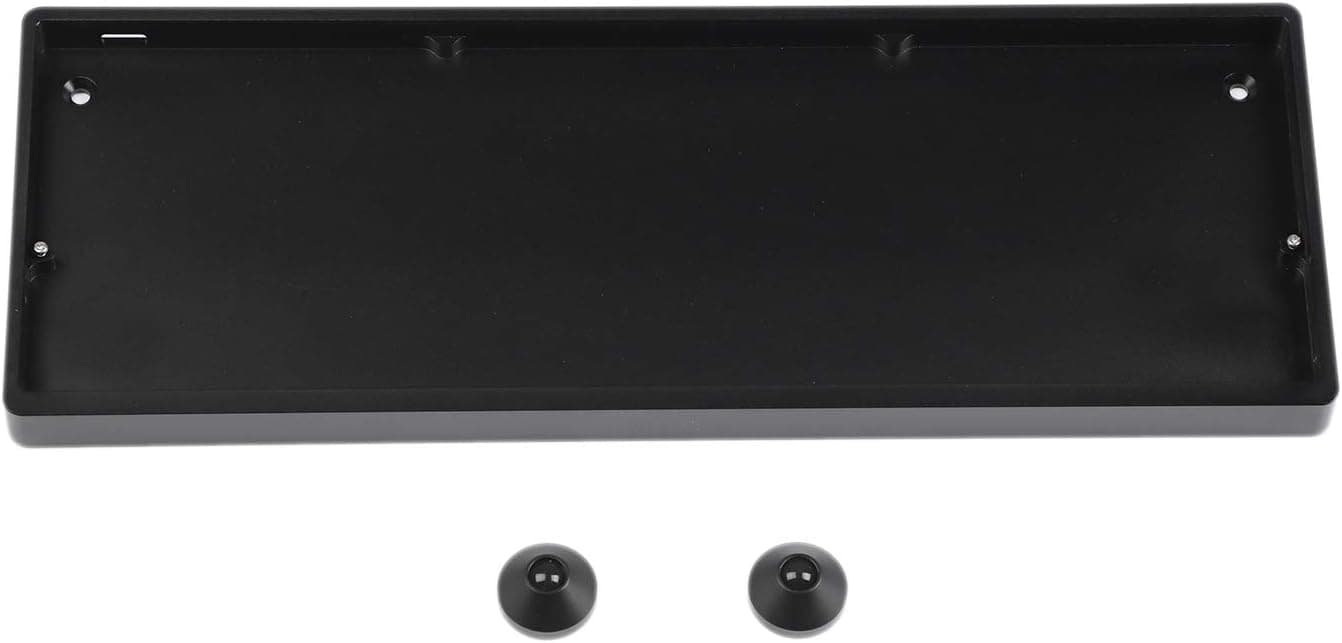
YMDK's 75-key anodized aluminum kit gives a hot-swappable Type-C ortholinear board you finish with your own switches and caps.
Price range: See on Amazon
What we liked
- + Anodized aluminum case feels sturdy and resists scratches better than plastic
- + Hot-swap sockets let you build the kit without a soldering iron
- + Larger grid with 75 keys eases the move to ortholinear with fewer layers
Trade-offs
- - Kit format means switches and keycaps are bought separately
- - Grid layouts need keycaps sold in uniform sizes, which narrows set choices
Who this kit is aimed at
This is a barebones kit, not a finished keyboard, so it is built for people who already want to try an ortholinear grid layout and are comfortable choosing their own switches and keycaps. The 75-key count is larger than the 40 percent boards most ortholinear fans start with, which makes the jump from a staggered layout less jarring because more of the familiar keys stay in roughly the same place. Someone who wants to unbox a keyboard and start typing the same day should look elsewhere, since this kit needs switches installed and a firmware flash before it is usable. Programmers, typists chasing shorter finger travel, and hobbyists who enjoy building their own board from parts are the best fit here.
What is in the box and how it is built
The kit ships as a CNC machined aluminum case with matching aluminum feet, rubber pads, mounting screws, a hot-swappable PCB, and a switch plate, according to the listing. The case is anodized aluminum rather than plastic, which adds rigidity and a cleaner finish than injection molded budget kits. The PCB uses Kailh hot-swap sockets that accept most MX-style switches, including Cherry, Gateron, and Kailh branded stems, so you are not locked into one switch brand. It connects over USB Type-C. The board also supports RGB LEDs on the PCB if you want per-key lighting, though you will need switches with clear or translucent housings to see it clearly.
Building it and living with the grid layout
Assembly is straightforward for anyone who has swapped switches before: seat the plate on the case, snap in your chosen switches without soldering, then add keycaps. Because the layout is a true grid, every key sits in its own column and row rather than the offset stagger of a normal keyboard, so muscle memory for punctuation and number rows needs to be rebuilt. Cleaning and maintenance follow standard hot-swap keyboard care: use a soft brush for dust, avoid liquids near the open switch sockets, and pull switches gently with a proper switch puller rather than prying with your fingers. Firmware flashing depends on the controller the PCB uses, so check the seller's documentation before you plan the build around a specific keymap.
Trade-offs against other ortholinear boards
The site's own testing places this kit sixth of seven in the ortholinear roundup, behind pricier finished boards like the Keychron Q15 Max and the EPOMAKER Hack70, both of which arrive fully assembled with wireless connectivity this YMDK kit does not offer. Compared with the Drop Planck V6, another DIY kit, the YMDK gives you more keys to work with, which some typists find easier to adapt to than a strict 40 percent grid. Against the YIVU Corne V4.1, a split ergonomic board, this YMDK stays in one piece and skips the wrist-angle benefits a split design offers. The main trade-off across the board is that a kit format always demands more shopping and assembly time than a complete keyboard.
Verdict and who should skip it
Pick this kit if you want a sturdy aluminum ortholinear base and do not mind sourcing your own switches, stabilizers if needed, and a keycap set sized for a grid layout. Keycap shopping is the part most people underestimate, since uniform row profiles are far less common than standard staggered sets, so budget extra time to find caps that fit. Anyone who wants RGB effects working out of the box, wireless connectivity, or a keyboard they can use the moment it arrives should look at a finished ortholinear board instead. Given our score of 7.8 out of 10, this is a reasonable entry kit for someone ready to commit to the build process rather than a plug and play purchase.
Frequently asked questions
Does this YMDK kit come with switches or keycaps included?
No, this is a barebones kit. The listing includes the aluminum case, feet, screws, the hot-swap PCB, and the plate, but switches and keycaps are bought separately.
Can I use Cherry or Gateron switches in this kit?
Yes, the hot-swap sockets are built to accept most MX-style switches, including Cherry, Gateron, and Kailh branded stems, without soldering.
Is this keyboard wireless?
No, it connects over a USB Type-C cable. There is no Bluetooth or 2.4GHz wireless mode on this kit.
Why are ortholinear keycap sets harder to find than normal ones?
A grid layout needs keycaps in uniform row sizes rather than the varied row profiles used on staggered keyboards, so fewer keycap sets are compatible out of the box.
Prices change often, so check the current price and availability on Amazon.
Check price on AmazonMechKeeb Lab may earn a commission from the link above.